What it does
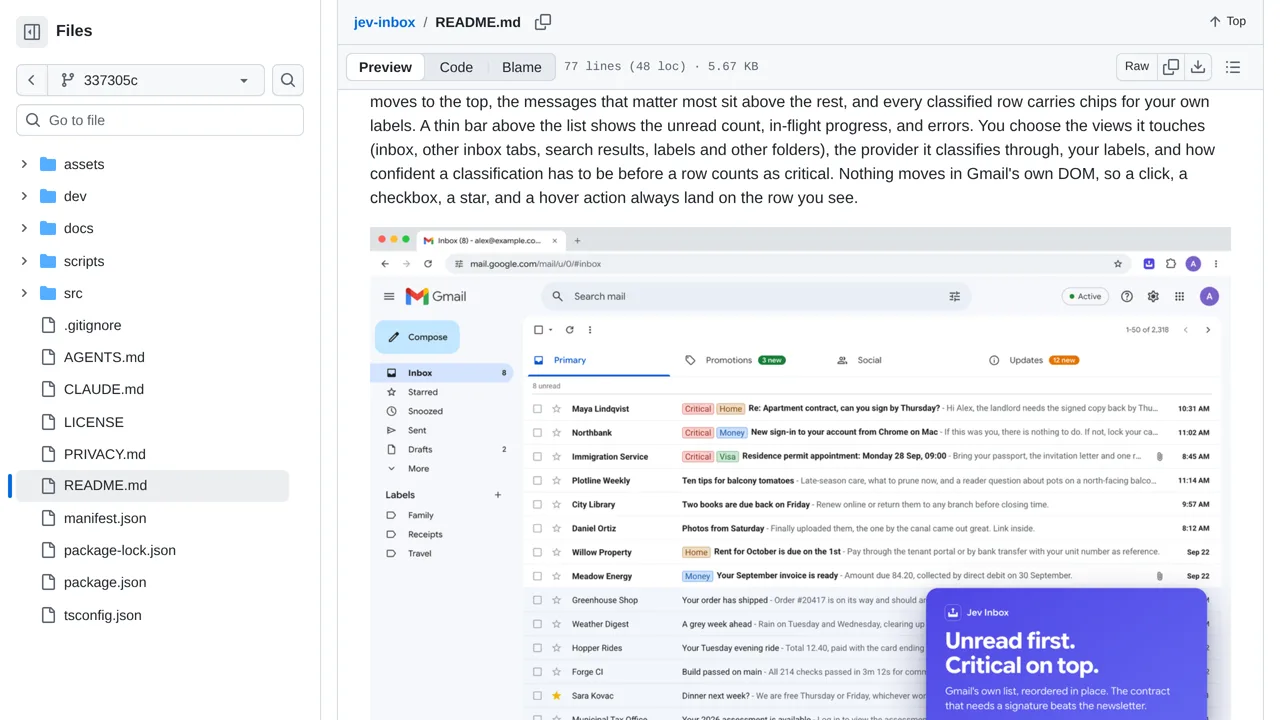
Reorders visible Gmail rows by unread status, criticality, urgency, and user-defined labels without changing messages in Gmail.
Apps & data pipelines
Only you can see your notes.
Screenshot unavailable. Open the experiment ↗
Reorders visible Gmail rows by unread status, criticality, urgency, and user-defined labels without changing messages in Gmail.
Start by writing out custom labels and short descriptions for each one, such as urgent bills or family news. A developer can build the project and install it in your Chrome browser. Next, paste in an access key from Vercel AI Gateway or TypeSafe to connect the tool to its online sorting service.
The tool only reads visible details like senders, subject lines, dates, and preview snippets to rearrange unread emails on your screen. It never opens full emails or attachments. However, keep in mind that those visible summary lines and your label descriptions are still sent over the internet to the sorting service.