What it does
The backend whitelists sixteen writable ID3 fields and maps each score answer onto exactly one of them, so a stray suggestion can't invent a tag the writer doesn't support.
Apps & data pipelines
Point it at a music folder and Jev scores the missing metadata — genre, language, album type — then the winning tags get written back into your files.
Only you can see your notes.
Screenshot unavailable. Open the experiment ↗
The backend whitelists sixteen writable ID3 fields and maps each score answer onto exactly one of them, so a stray suggestion can't invent a tag the writer doesn't support.
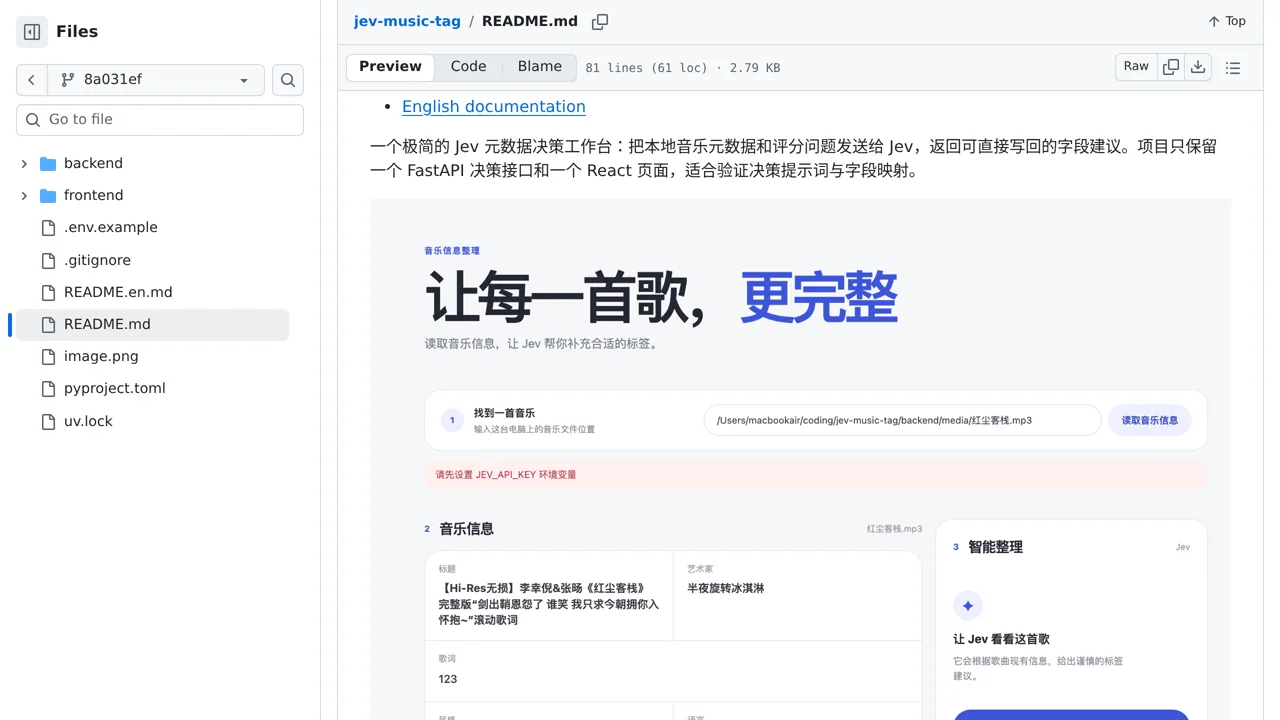
You can use this workbench to test filling in missing details on individual song files. Before touching your music, copy a few audio files to a safe test folder. Decide which missing fields you want to update, such as genre, and list the exact music styles to choose between.
Your developer can run the app locally and add an access key that connects it to the Jev service. You enter a file path on that machine, review existing track details, and ask the service to choose the best style. Because this demo handles files one by one, it does not scan whole music folders automatically.