What it does
The README says the sounds are synthesised with Web Audio nodes, but the repository also ships thirteen .ogg files, so what you hear depends on which path the page takes.
Apps & data pipelines
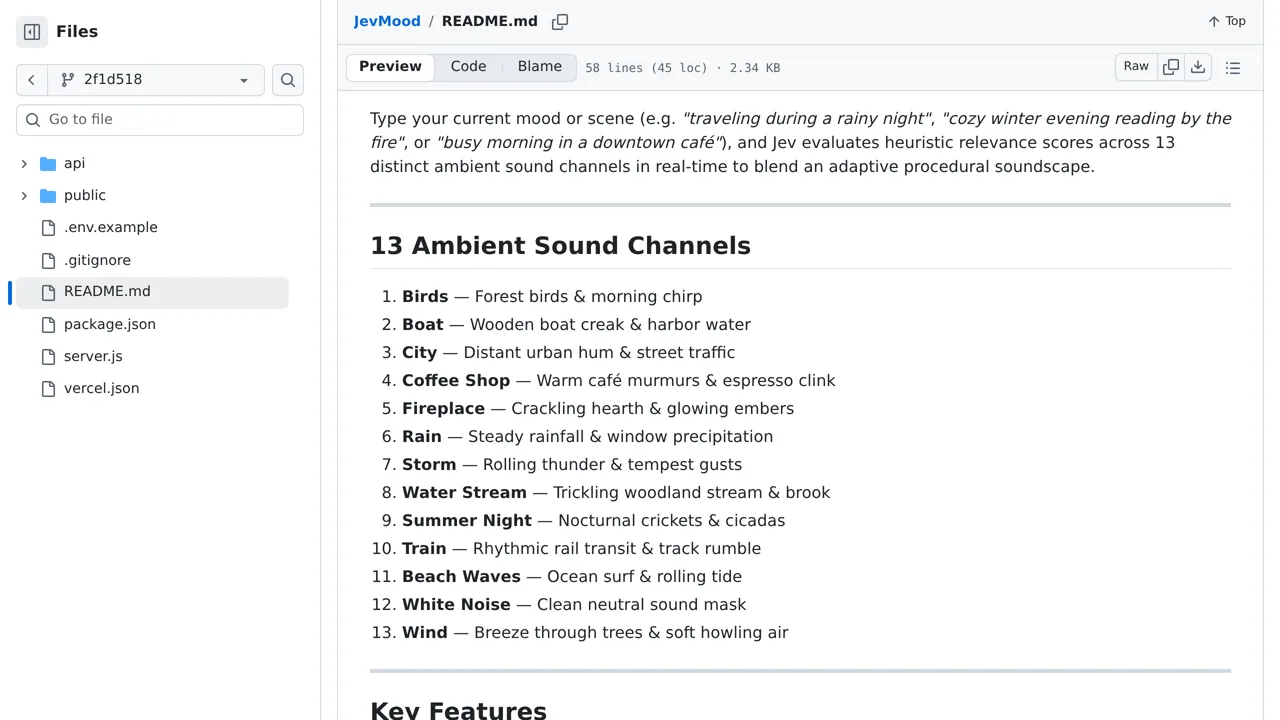
You type a mood or a scene and one parallelised Jev score request rates how prominent each of thirteen ambient channels should be, which the browser then blends live.
Only you can see your notes.
Screenshot unavailable. Open the experiment ↗
The README says the sounds are synthesised with Web Audio nodes, but the repository also ships thirteen .ogg files, so what you hear depends on which path the page takes.
Have a developer start the project on your computer using an access key from TypeSafe. Once it runs, type a scene or feeling into the page. The app sends your written text to the online service, which judges how well each of its thirteen built-in sound channels fits your description.
The browser automatically creates these ambient sounds live and adjusts their individual volumes to match the scores. You can manually adjust the sliders or mute tracks. Remember that your typed descriptions are sent over the internet to the external service to be rated.