What it does
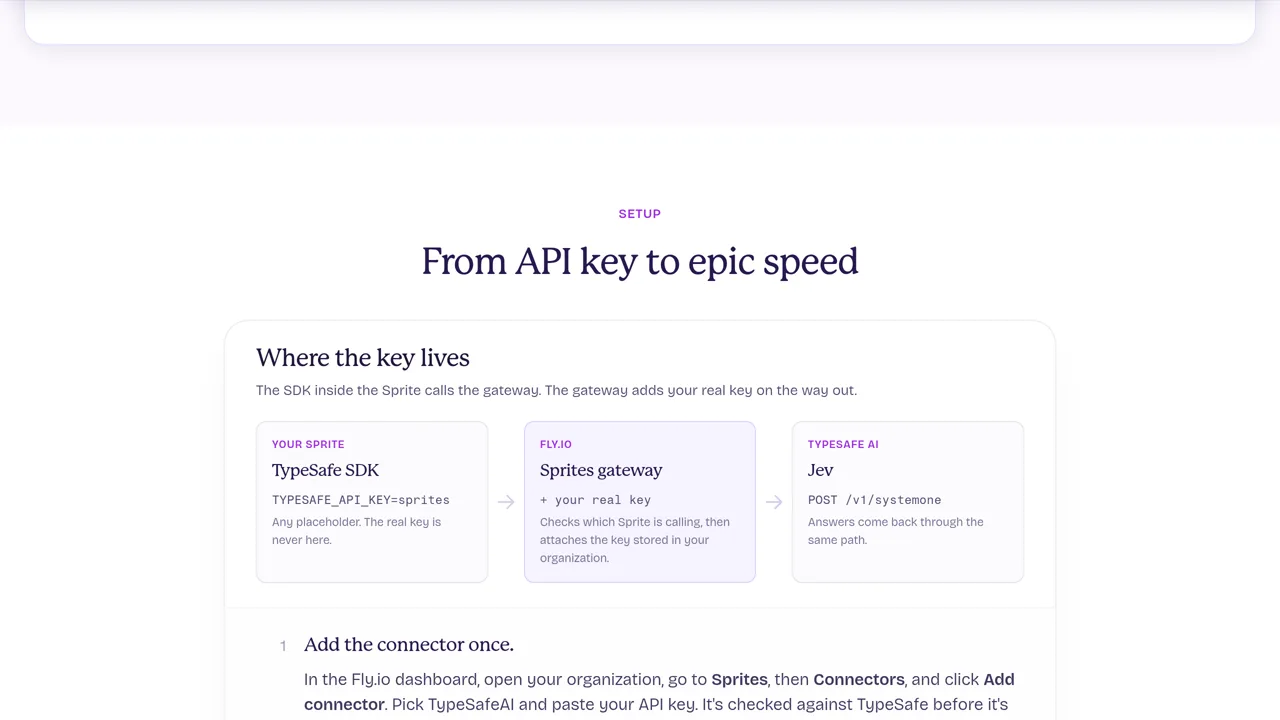
The gateway checks which Sprite is calling and attaches the stored key. Access starts denied; you grant it by name prefix or labels, and the connector limits which TypeSafe requests can pass through.
Integrations
Fly.io's connector lets agents in Sprites ask Jev questions without keeping the real TypeSafe key inside their computer.
Only you can see your notes.
Screenshot unavailable. Open the experiment ↗
The gateway checks which Sprite is calling and attaches the stored key. Access starts denied; you grant it by name prefix or labels, and the connector limits which TypeSafe requests can pass through.
If your project runs an AI helper in a Sprite, a computer hosted by Fly.io, this connector lets it ask Jev without holding your real TypeSafe access key. Start with the setup guide: save the key in Fly.io's connector settings and choose which Sprites may use it.
Your developer points the helper's TypeSafe software at the connector and uses a placeholder instead of the real key. Fly.io checks the calling Sprite and adds the stored key before sending the request. The guide's example asks whether a message is urgent; the answer is an estimate, not proof.