What it does
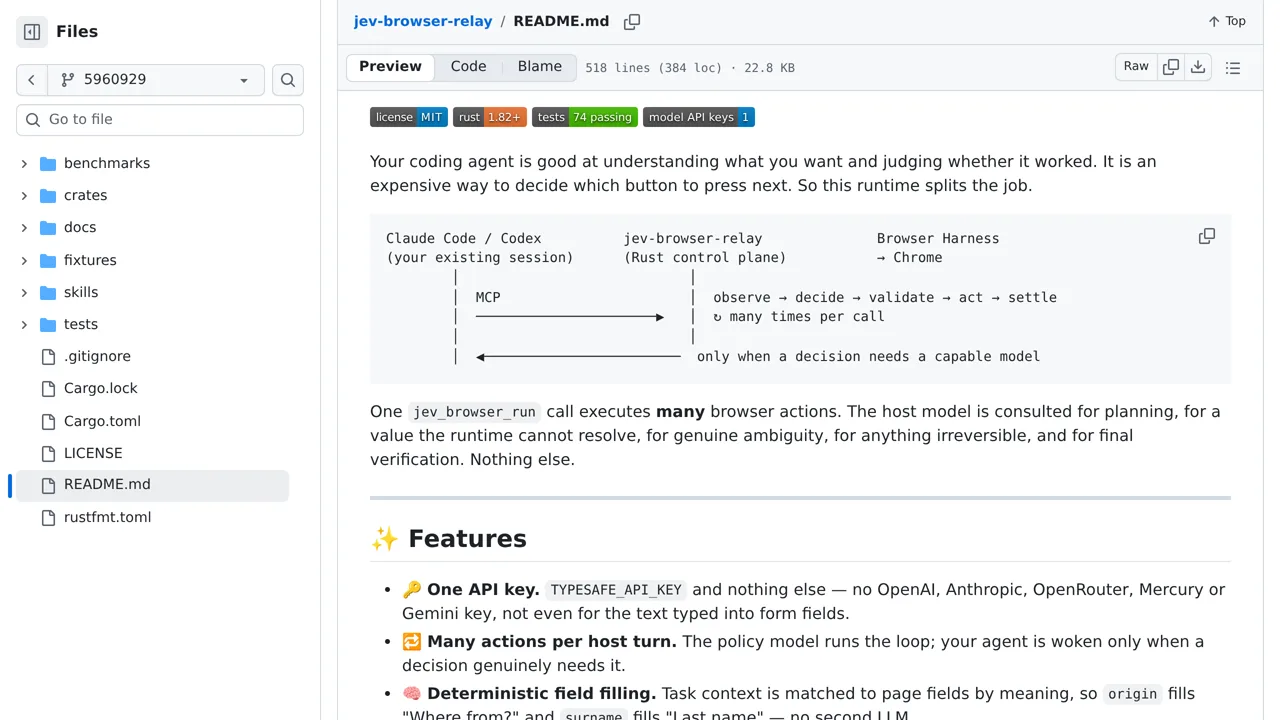
Each decision is tied to one page snapshot, preventing a delayed click from landing elsewhere. Secrets are typed locally and never sent to Jev.
Browser & computer use
Keep a coding agent out of the click loop while Jev chooses bounded browser operations and compatible on-page targets.
Only you can see your notes.
Screenshot unavailable. Open the experiment ↗
Each decision is tied to one page snapshot, preventing a delayed click from landing elsewhere. Secrets are typed locally and never sent to Jev.
A developer can add this to an app to do repetitive web tasks. The tool clicks menus and waits for pages to load. Your developer can start by reading the included test files to see how it works.
The software requires the Chrome browser. It needs an access key that connects the app to an outside AI service called TypeSafe. It stops automatically if a task takes too much time. This limit prevents the program from getting stuck on a broken website.