What it does
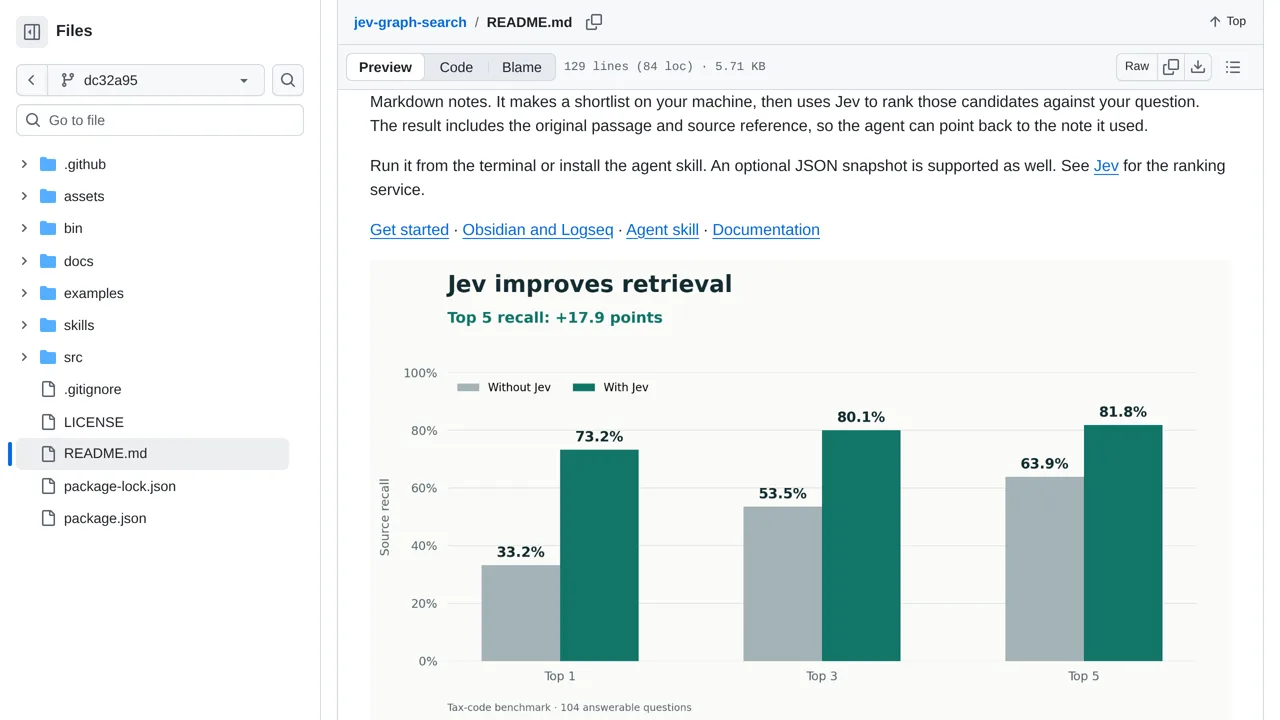
Shortlists local Markdown passages lexically, reranks them with Jev, and returns original text with source references intact.
Apps & data pipelines
Only you can see your notes.
Screenshot unavailable. Open the experiment ↗
Shortlists local Markdown passages lexically, reranks them with Jev, and returns original text with source references intact.
For a project spread across notes, start with a question about your Obsidian or Logseq folder. These are note-taking apps. This tool finds possible passages on your computer, then sends them to Jev, an AI ranking service, to sort. Setup needs an access key from the chosen service. Results include the passage and its source; offline search skips the outside AI.