What it does
The add-on searches likely operator modules first, so it may miss a match when the right module falls outside the top three. Blender 4.2 or newer is required.
Integrations
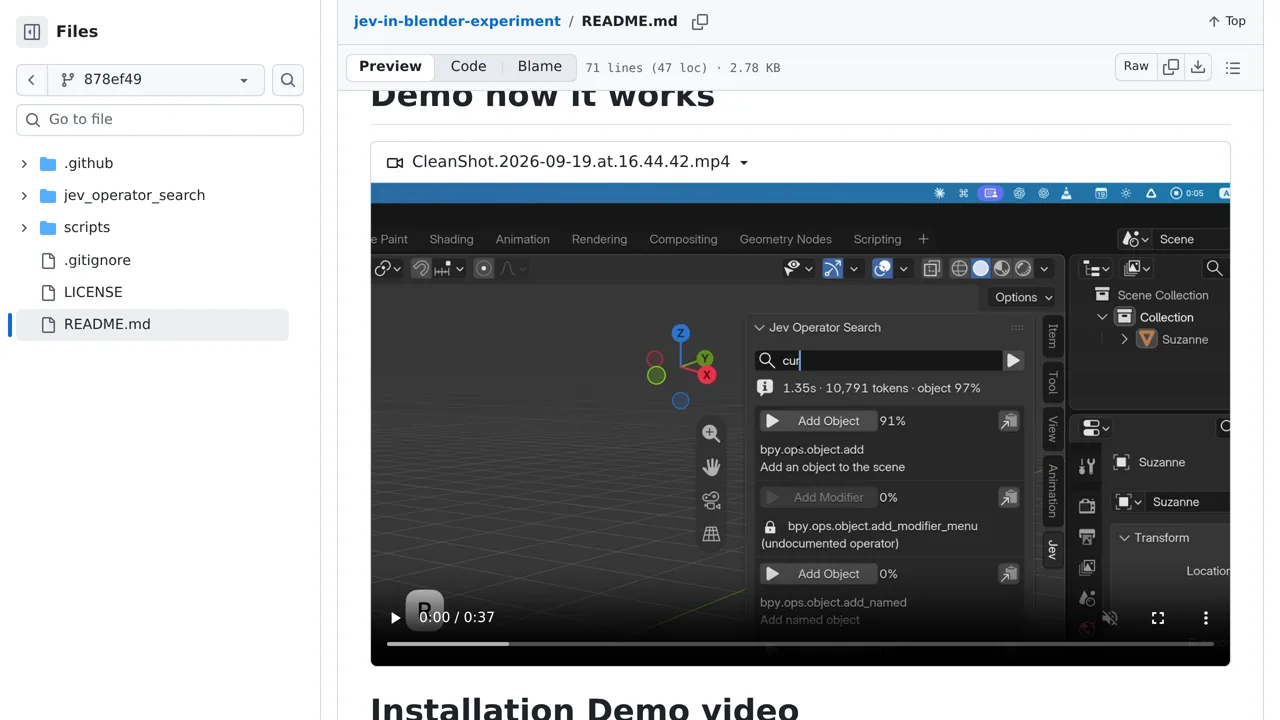
Describe a Blender action in plain language, then review ranked operators before running or copying one.
Only you can see your notes.
Screenshot unavailable. Open the experiment ↗
The add-on searches likely operator modules first, so it may miss a match when the right module falls outside the top three. Blender 4.2 or newer is required.
A developer can use this code to build a smart search bar for large software. People can just type what they want to do using everyday words. The code asks TypeSafe, an outside AI service, to find the best matching menu option.
You can test the original tool using Blender 4.2. You must provide a TypeSafe account key so the software can reach the service. The search looks at large groups of commands first. It might miss the correct action if its group falls outside the top three guesses.