What it does
It requires an authenticated LinkedIn session, and the maker’s video is accelerated rather than shown at live speed.
Browser & computer use
Give a hiring brief to a visible LinkedIn browser and watch Jev navigate, screen titles, and save profile evidence.
Only you can see your notes.
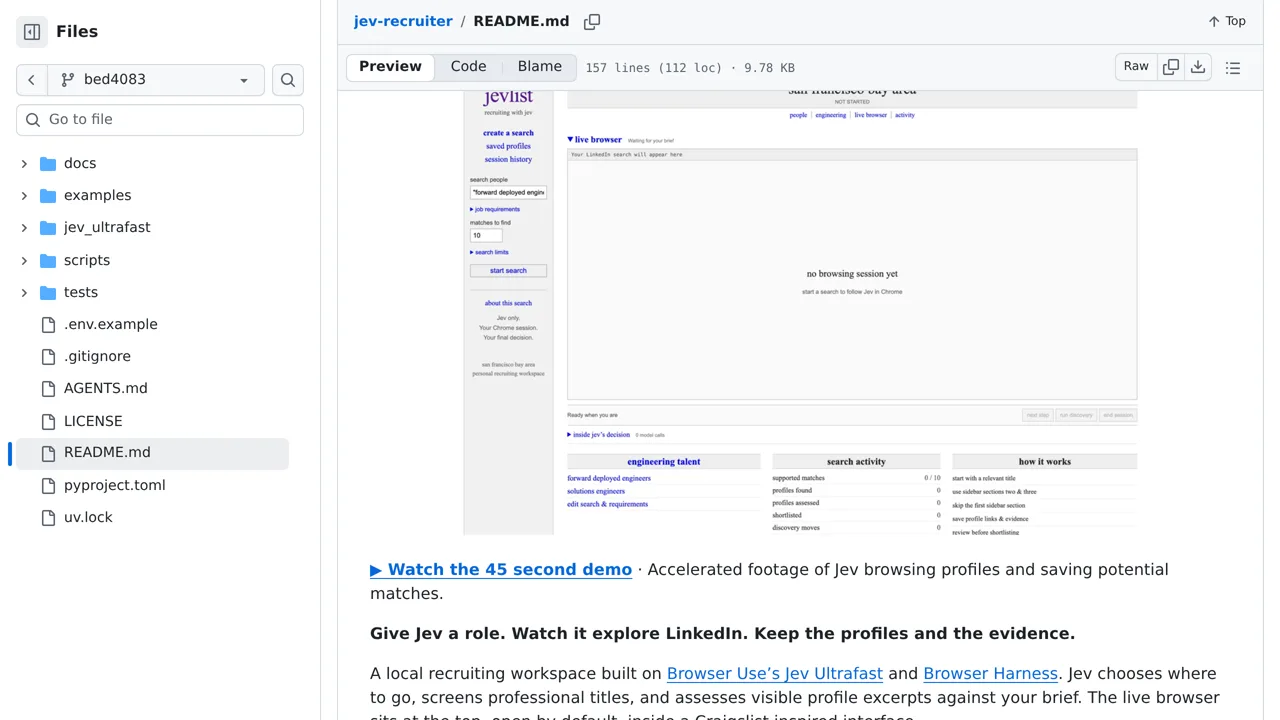
Screenshot unavailable. Open the experiment ↗
It requires an authenticated LinkedIn session, and the maker’s video is accelerated rather than shown at live speed.
Start by writing down your hiring goals. List the exact job titles, locations, and experience levels you want to find. A developer can then set up the project to control a Chrome window while you remain signed into your LinkedIn account.
The tool sends candidate profiles to an external AI service, either TypeSafe or Morph, to decide who matches. Your developer must supply an API key, which is a software credential from that provider. Remember that live browsing moves much slower than the maker's sped-up demonstration video.