What it does
Lets Claude delegate a browser goal while Jev repeatedly chooses the next click, field, or action.
Browser & computer use
Only you can see your notes.
Screenshot unavailable. Open the experiment ↗
Lets Claude delegate a browser goal while Jev repeatedly chooses the next click, field, or action.
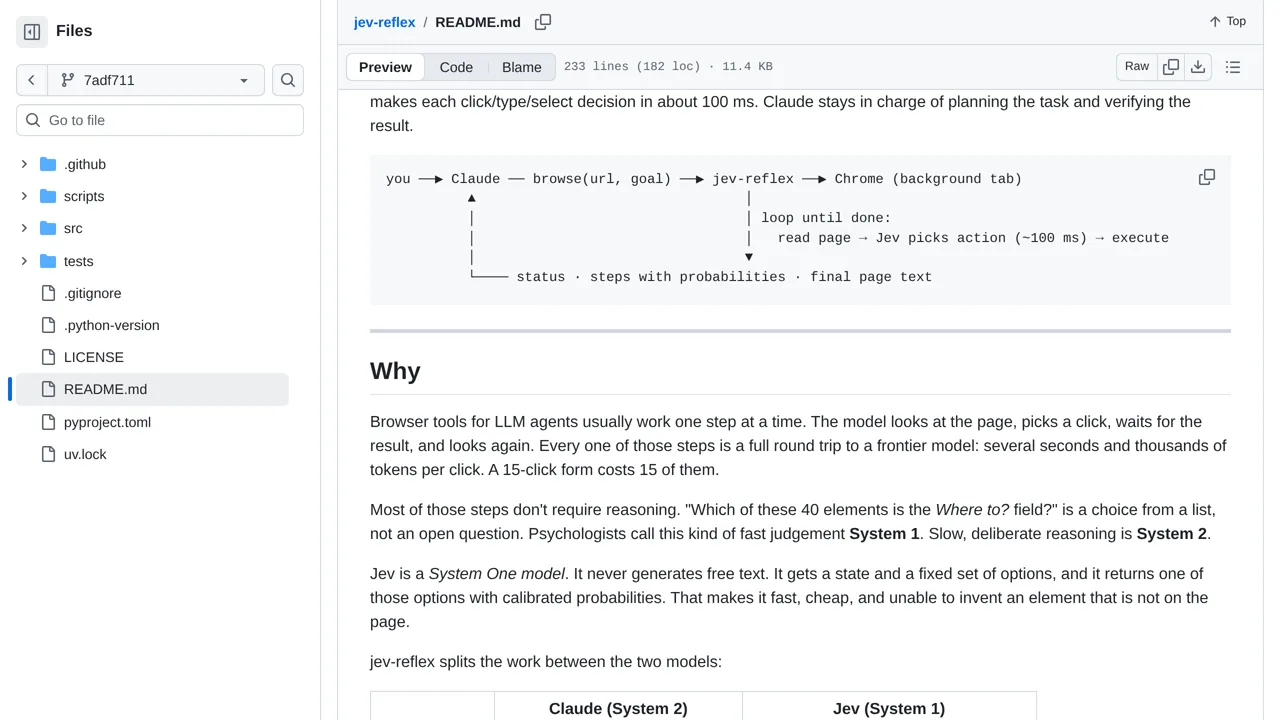
Start by writing down a clear website job and web address for your project. For example, note how to search for an item or fill out a simple form. Your developer can connect this tool so the AI assistant Claude plans the goal while the faster Jev AI clicks buttons and types into a Chrome window.
Jev quickly decides each click and keystroke in real time instead of waiting on Claude. Keep in mind that website automation can still misclick or get stuck on unexpected popups. Claude should always check the final page text to confirm the task really finished.