JevMade

Sign in
← Back to experiments

Integrations

OpenViking — Jev reranking

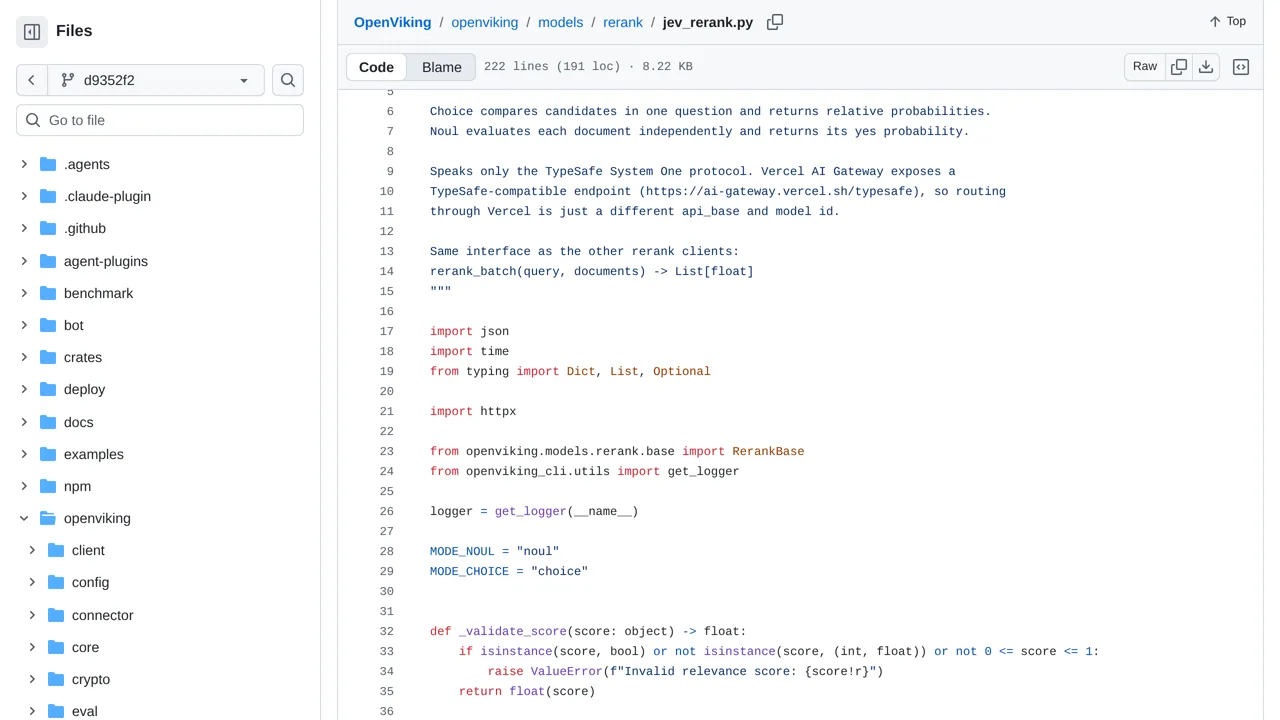
Reorder OpenViking search results by asking Jev whether each candidate's abstract answers the query, or by comparing the candidates together.

Bookmark: OpenViking — Jev reranking Keep this in your collection.
Leave a noteWhat would you try with this? : OpenViking — Jev reranking

Only you can see your notes.

Source screenshot of OpenViking — Jev reranking
SOURCE SCREENSHOTFull screenshot ↗

What it does

Jev is an optional reranker, not the search engine. Its default mode asks separate yes-or-no questions in one shared request; comparison mode uses Choice probabilities. Failed reranking restores the original search scores, which still face the configured filter.


How you can use it

If an assistant already searches with OpenViking, ask a developer to enable the optional Jev reranker and compare its ordering on known questions. Start with the default yes-or-no checks, or try comparing the candidates together. Check whether the initial search found the right document; reordering cannot recover an absent one.

The reviewed retrieval path sends the query and candidate abstracts to the configured outside endpoint, such as TypeSafe or Vercel's gateway. Abstracts or optional shortening can omit important evidence. Failed requests use the original scores rather than stopping the search, so inspect results and protect private material before enabling it.

Your note

Only you can see this. Clear the text and save to remove it.

Keep what you save

Sign in to keep bookmarks and private notes on every device. We email you a link; there is no password, and the same link creates your account.

