What it does
Separate writing models power the command-line routing and rewrite examples; Jev supplies evaluations. Keep this playground local: a public deployment can send its server access key to a caller-chosen destination.
Integrations
Connect Jev to the Vercel AI SDK and explore its questions in a local workbench with probability charts and result history.
Only you can see your notes.
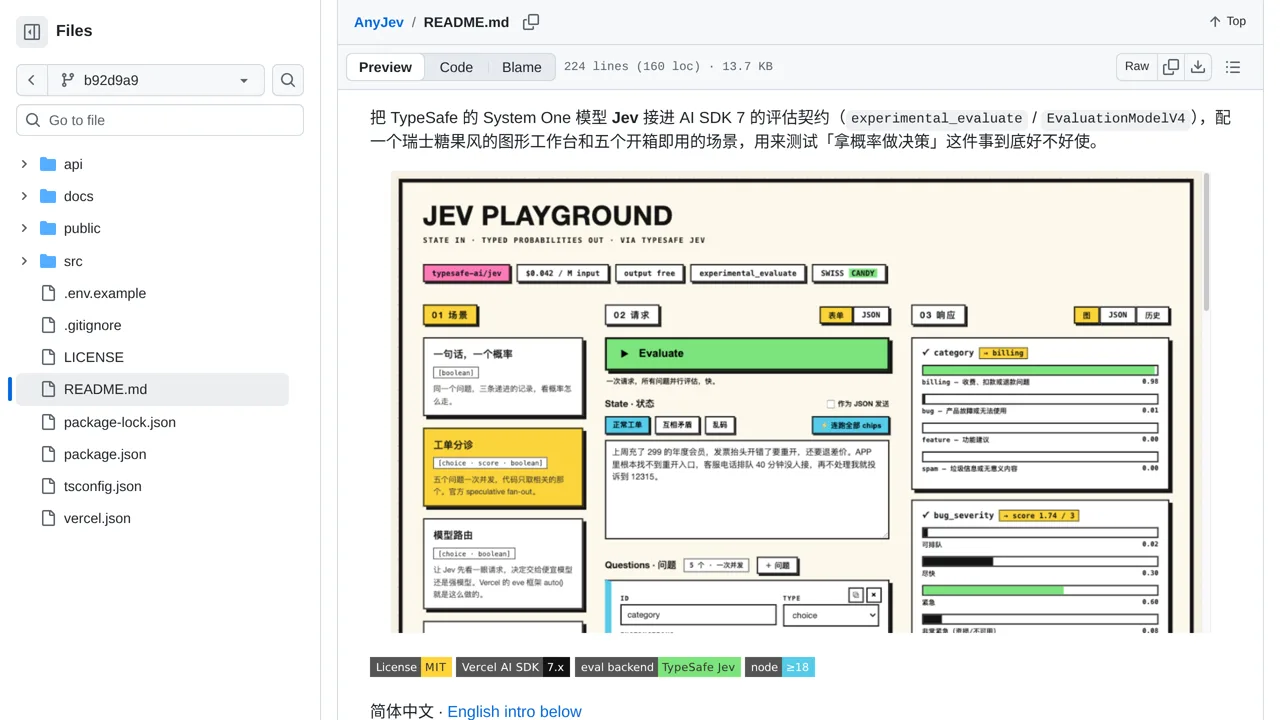
Screenshot unavailable. Open the experiment ↗
Separate writing models power the command-line routing and rewrite examples; Jev supplies evaluations. Keep this playground local: a public deployment can send its server access key to a caller-chosen destination.
Use the workbench on your own computer with non-sensitive sample messages to compare categories, ratings and yes-or-no questions. A developer can start from its support-ticket example and inspect the answer charts before connecting any real workflow. The command-line example prints a suggestion for which team should reply; it does not move tickets in a help desk.
Have a developer use Node.js 20 or newer and the README’s local setup. Keep it off the public internet: a visitor can choose where requests go and receive the server’s access key. The browser also keeps keys and past work. Even Test connection sends a paid request. The command-line writing examples need a separate AI model to write replies.