What it does
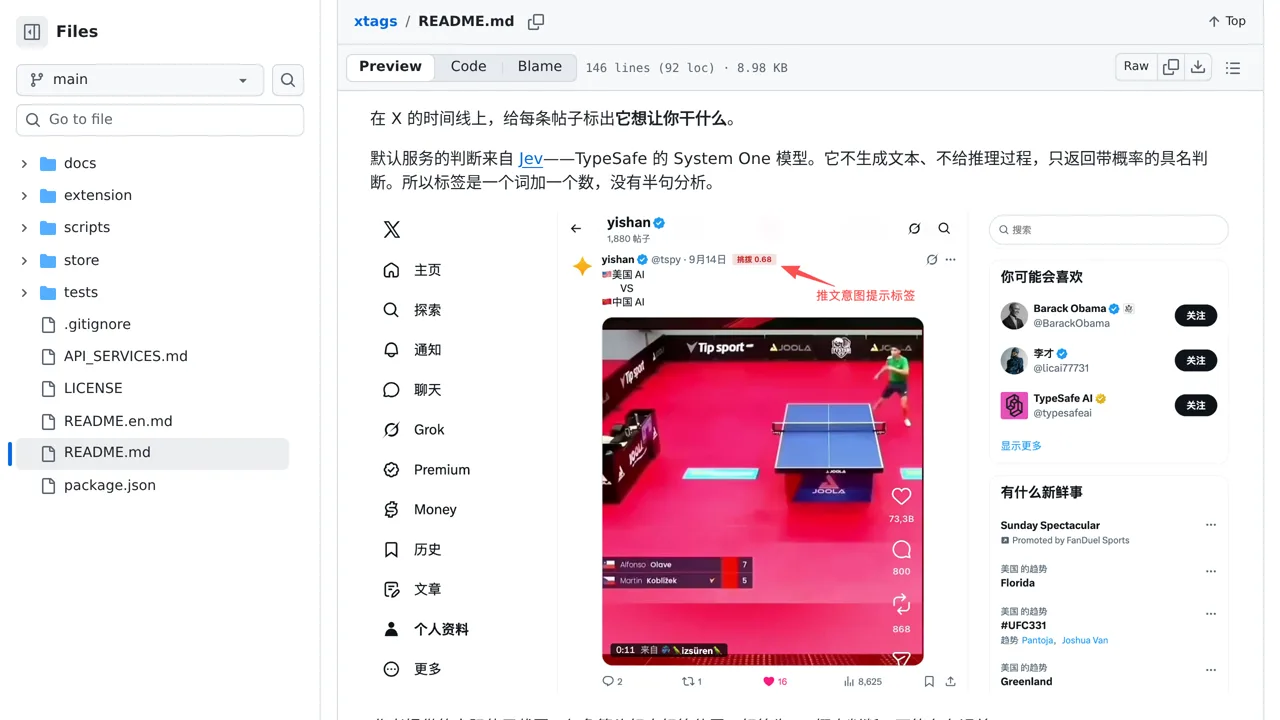
Spot the sales pitch, call to action or other intent behind an X post with labels chosen by Jev.
Browser & computer use
Only you can see your notes.
Screenshot unavailable. Open the experiment ↗
Spot the sales pitch, call to action or other intent behind an X post with labels chosen by Jev.
Your developer can adapt this browser tool to label the motives behind social media posts. The software reads text directly from your screen. It sends the post and author name to an outside AI service called TypeSafe. The service guesses if a post is selling something, spreading anger, or written by a machine.
To use the original code, you must get an access key from TypeSafe. This key connects the tool to the service. Your developer needs Chrome version 140 or newer to run it. The tool only reads text your browser already loaded. It cannot automatically collect unread posts in the background.