What it does
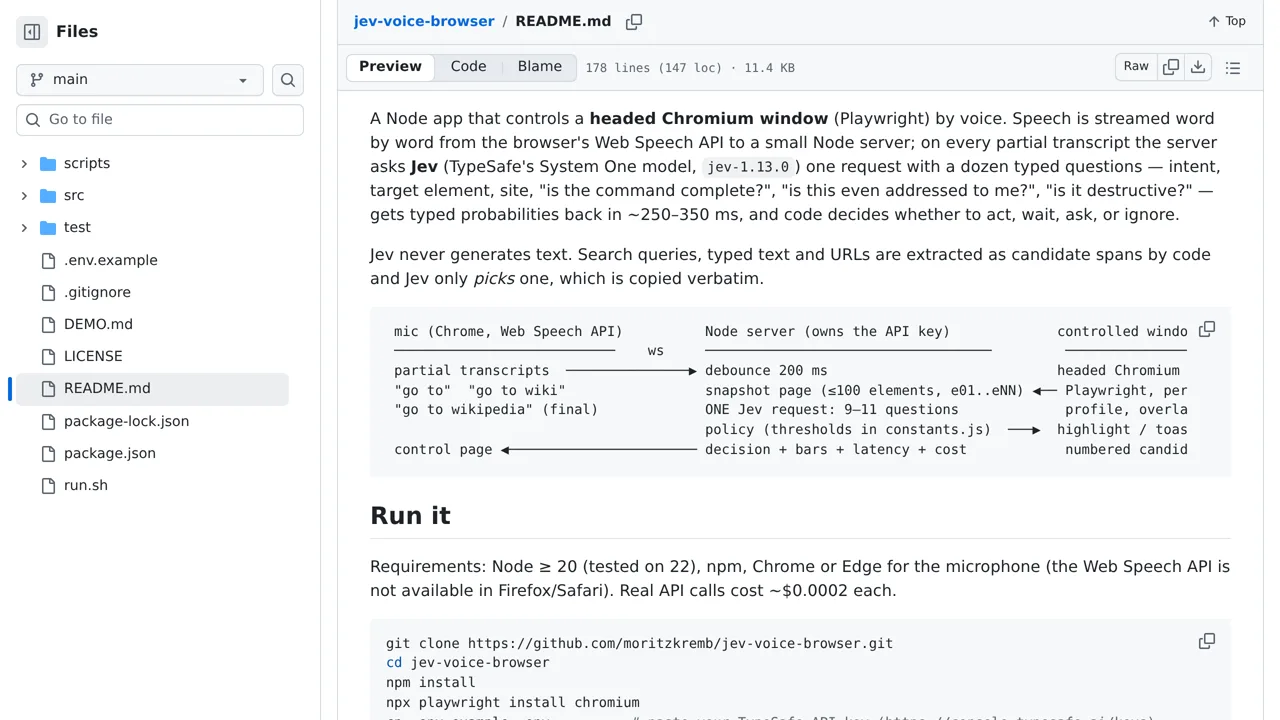
The project reports decisions in roughly 300 milliseconds per spoken word, allowing some actions to begin before the sentence ends.
Browser & computer use
A voice-controlled browser where Jev selects an intent and target as speech arrives, then Playwright performs the action.
Only you can see your notes.
Screenshot unavailable. Open the experiment ↗
The project reports decisions in roughly 300 milliseconds per spoken word, allowing some actions to begin before the sentence ends.
You can adapt this approach to build hands-free web tools, such as an accessible browser assistant that clicks links or scrolls pages by voice. A developer can set up the software locally by providing an account key that connects the app to TypeSafe to understand spoken requests.
The system needs Chrome or Edge to turn speech into text. It also scans only up to one hundred visible items at once, meaning you must scroll down to reach lower links, and it cannot click content embedded from other websites.